
Getting Started Guide
From signup to your first hatched pet: 1,000 free MPC, a 100 MPC nest, your first egg, and the daily loop that keeps coins coming in.
Welcome to MiroPets! Every new account starts with 1,000 MPC (MiroPets Coins) and a 20-slot backpack. This guide walks you from signup to a hatched pet and a daily routine, in the exact order the game expects.
Step 1: Sign up and check your mail
Create an account with a username of 3-16 lowercase letters and numbers. Your 1,000 starting coins are deposited immediately, and a welcome message from Luke is waiting in your Mail.
Your email inbox gets a welcome message too, with a 6-digit verification code in the subject line. Type it into the gold banner at the top of any page (or the reward card on your Dashboard) and you are verified without leaving the site — handy if you signed up inside the Facebook app. Tapping the link in the email works as well, and signs you in on whatever browser it opens in. A code allows 5 wrong guesses; pressing Resend sends a fresh one. If you haven't verified a few hours after signing up, a reminder arrives with a new code.
Step 2: Your starter nest
Eggs need a nest to be adopted, and your account comes with one. A Cozy Nest is added to your Backpack the moment you register, so your first egg is already paid for - go straight to Step 3.
Each nest is consumed by one adoption, so you will need another for your second pet. The Nesting Nook sells four, and they are not interchangeable - a better nest hatches faster and gives the pet an XP head start:
- Cozy Nest (100 MPC) - hatches in 15 minutes.
- Leafnest (175 MPC) - hatches in 12 minutes, +25 XP head start.
- Greenest (250 MPC) - hatches in 10 minutes, +50 XP head start.
- Rainest (500 MPC, rare) - hatches in 6 minutes, +100 XP head start.
Your first egg is faster than any nest: a brand-new account's first-ever egg hatches in just 2 minutes, whichever nest it uses. The nest timers above apply from your second adoption on.
The XP head start counts toward the 2,500 XP your pet needs to become an adult. See Shops for how shop stock works.
Step 3: Adopt your first egg
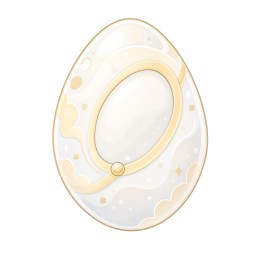
Visit the Adoption Center, where Kara will greet you. If you picked an egg on the way in during signup, it is already waiting for you there. Current live settings:
- 9 eggs are on offer, and the selection refreshes every hour (the shelves are restocked as soon as they run low, so there is always an egg waiting) - keep an eye out for the occasional Mystery Egg.
- You can adopt one egg every 12 hours.
- Adopting consumes one nest.
- You name your pet at adoption: 3-16 characters, lowercase letters and numbers only, and the name must be unique across the whole site.
- You can own 3 pets to start. You can buy an extra slot with coins from your My Pets page (5,000 MPC for the first, and each one after costs a little more), or raise the limit with a Pet Permit (+1) or Kennel Deed (+3) item. However you grow it, an account can hold at most 250 pets - see Adoption Center for every way to add slots.
Full rules are on the Adoption Center wiki page.
Step 4: Watch it hatch and start caring
Your egg hatches into a baby on the timer set by the nest you used - 15 minutes for the starter Cozy Nest, as little as 6 for a Rainest - and your first-ever egg ignores all of that and hatches in just 2 minutes. Eggs do not need feeding and never lose stats while waiting, so the best use of the wait is Step 5 below - the Games page counts your egg down while you earn. Tap "Alert me when it hatches" on the adoption banner and MiroPets will tell you the moment it opens, by push if you allow it and by email either way. Once hatched, your pet has three care stats (hunger, happiness, health), each starting at 100 and slowly decaying over time. Feed it food items, play with toys, and treat sickness at the Vet. See Pet Stats Explained and Feeding and Caring for Pets.
Babies grow into adults at 2,500 XP, gaining Attack, Defense, and HP for the Pet Arena. XP comes from games, books, training, and daily care - see Pet Stats Explained.
Step 5: Earn your first coins
The reliable early earners:
- Daily quests - you get 3 on your Dashboard every day, each paying coins plus 25 XP for your active pet. Complete all 3 every day to build a streak; a 7-day streak pays a 1,000 MPC bonus. See Daily Quests.
- Games - most have daily play limits, so plays reset each day.
- Pantry - claim one free donated item every hour.
- Wishing Well - a random item for 1 MPC every 12 hours.
The full list lives at How to Earn MPC.
The Getting Started checklist
For your first 30 days, your Dashboard shows a Getting Started card with eight one-time steps. Each pays 100 MPC and 10 XP for your active pet when you claim it, and claiming all eight pays a 400 MPC completion bonus — 1,200 MPC in total:
- Hatch your first pet — adopt an egg at the Adoption Center.
- Feed your pet — free food from the Pantry works.
- Play a game — any game in the Game Center.
- Say hi in Global Chat (players 13+). Mention that you are new and Atlas will welcome you with a link to Ask Atlas, where you can ask him anything, anytime.
- Add a friend — send or accept a request on the Friends page (its Suggested Friends list shows friendly players online right now); a pending request does not count until it is accepted.
- Join a den — bring any one of your pets into a den. The card points you at the OGs, the site's oldest and largest public den, but any den counts.
- Claim a Daily Hub reward — see Today in MiroPets on your Dashboard.
- Verify your email — type the 6-digit code from your welcome email into the gold banner (or the card on your Dashboard), or tap the link in the email. Either way pays the separate one-time verification reward of 500 MPC and a rare item.
The card checks off steps automatically as you do them; just come back to the Dashboard and press Claim.
Good habits
- Keep at least 100 MPC on hand so you can always afford your next nest - the starter one only covers your first pet.
- Adopt on cooldown: one egg every 12 hours means a full pet family within two days.
- Do all 3 daily quests every day - the streak bonus is the biggest single payout available to a new player.
- Follow the Daily Routine Checklist once you know the basics.
Related pages


Try Getting Started Guide yourself
MiroPets is free to play. Sign up, hatch your first egg, and raise a pet of your own.



